Export input for patch clamp
File → Export → Patch Clamp Input writes input arrays for acquisition software. First choose the format:
| Format | Exports |
|---|---|
| Igor2 - single array (.ibw / .csv) | One neuron of the array shown in the editor. Set Neuron to export, Experiment name, optional unit and scaling factor. The file type follows the save dialog (.ibw by default, or .csv). Inhibitory arrays are negated. |
| Igor2 - all arrays (.pxp) | Selected input arrays as one Igor packed experiment, one wave per array. Inhibitory arrays are negated. |
Export as sweeps (auto-detect period) splits a repeating column into a
multi-sweep .ibw (one column per repeat); it is ignored for .csv. The
scaling factor accepts forms like 1e-12 or 2.5*10^(-12).
.csv is the most portable format; .ibw imports directly into Igor Pro.
Loading a template in the amplifier software
SutterPatch runs Sutter amplifiers inside Igor Pro. Input waveforms are built in the Routine Editor: one segment of type Template is enough.
- Export the neuron's waveform as
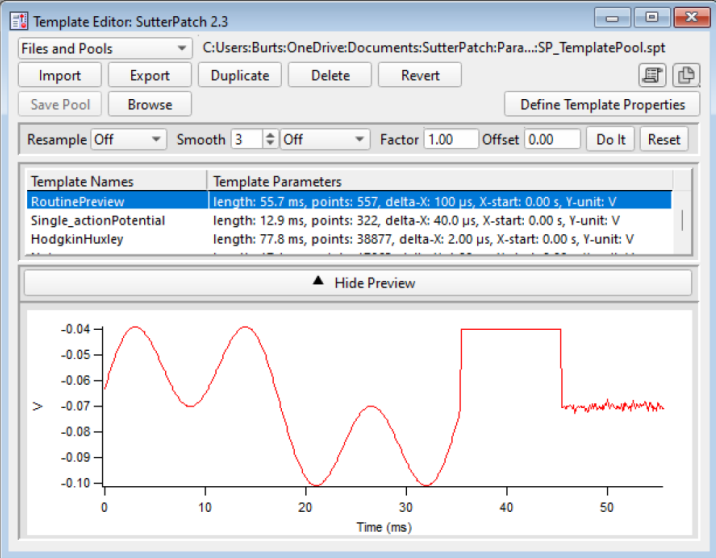
.ibw(or.csv). - In the Template Editor, click Import and pick the file.
- The template then appears in the Routine Editor's template list.
To bring recordings back, see Patch-clamp data.